The RailComplete (RC) IFC export has until now been mostly automatic with quite limited control over the exported file. With RC 2.0.0 we are introducing several tools to let users tailor the export to make sure the file is formatted as they want it. This article will provide a short introduction to the new Manage IFC Spatial Structure window, improved IFC entity type mapping, changes in property set data types along with IFC data type mapping and the new ability to add property sets (Psets) to IFC entity types.
Spatial Structure
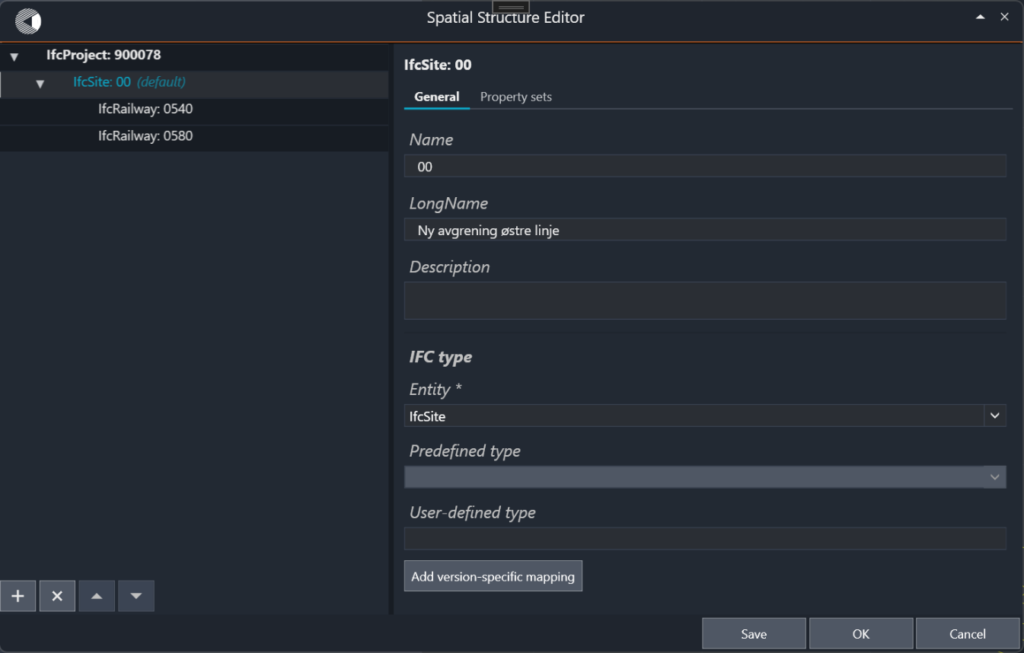
Previous versions of RC exported a set spatial structure, with only Names and LongNames editable in RC 2026.1. In RC 2.0.0 you can design any spatial structure in the new Manage IFC Spatial Structure window (see Figure 1), accessible through the command RC-ManageIfcSpatialStructure or through the “Manage IFC Spatial Structure” button under “Edit” in the ribbon.
Figure 1: The Manage IFC Spatial Structure window. The root node is exported as the IfcProject.
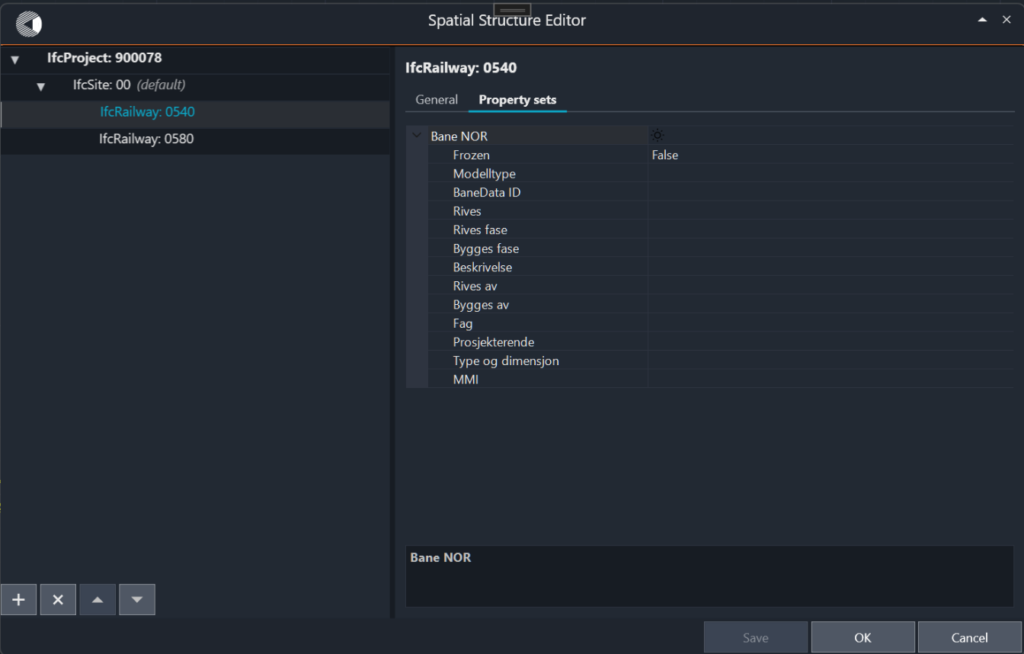
Here you can define a tree of spatial structure nodes on the left-hand side and set the properties for the selected node on the right. You can have as many levels as you like, but the tree must always have a single root node, which will be exported as the “IfcProject” of the export file. The available properties for a node are “Name”, “LongName”, “Description” and “IFC type”. IFC type sets the entity type of the resultant IFC element and has three parts: “Entity”, “Predefined type” and “Object type”. Each node can be any “IfcSpatialStructureElement”, with corresponding “Predefined type”. If “Predefined type” is set to “USERDEFINED”, or if the entity has no predefined types, then you can set “Object type”. Spatial structure nodes can also have property sets with additional properties (see Figure 2). See the “Standard IFC property sets” section for how to add Psets to spatial structure nodes.
RC objects are placed in the spatial structure by using the “Spatial Structure Parent” field in the IFC section of the “3D” category in the property manager (see Figure 7).
Property Data Types in RC and IFC
Figure 2: A spatial structure with a site, building and storey. The Property sets tab lists the Psets attached to the selected node.
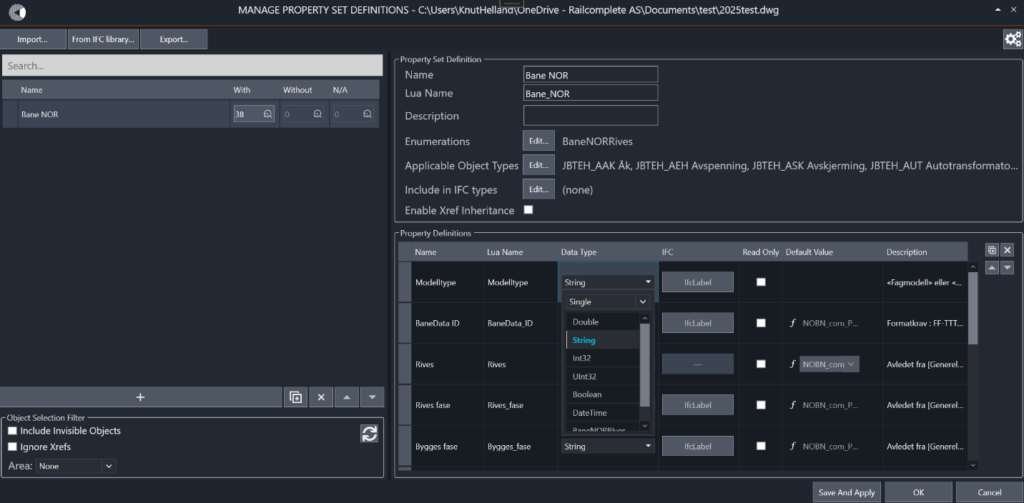
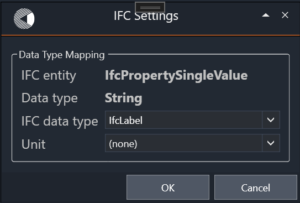
Property set properties in RC have data types like “String” for text and “Double” for numbers. However, when exported to IFC the properties get IFC types like “IfcLabel”, “IfcText”, “IfcReal” or “IfcPositiveLengthMeasure”. In addition, every property is exported as either an “IfcPropertySingleValue”, “IfcPropertyBoundedValue”, “IfcPropertyListValue” or “IfcPropertyTableValue”. For previous versions of RC, we automatically mapped the RC data types to IFC data types, which were always exported as single values. In RC 2.0.0 we are introducing new primitive RC data types “Boolean” and “DateTime” as well as adding the option to store each property as a Single, Bounded, List or Table value. This is controlled from the “Manage Property Set Definitions” window as before (see Figure 3). There is also a new column, “IFC”, where you can set an explicit IFC data type that the property is mapped to during export (see Figure 4). This is where you would set a string to be an “IfcText”, rather than the default “IfcLabel”.
Figure 3: The Manage Property Set Definitions window, with the new data types and the IFC column.
Figure 4: Mapping a Double property to an explicit IFC data type and unit.
Standard IFC Property Sets
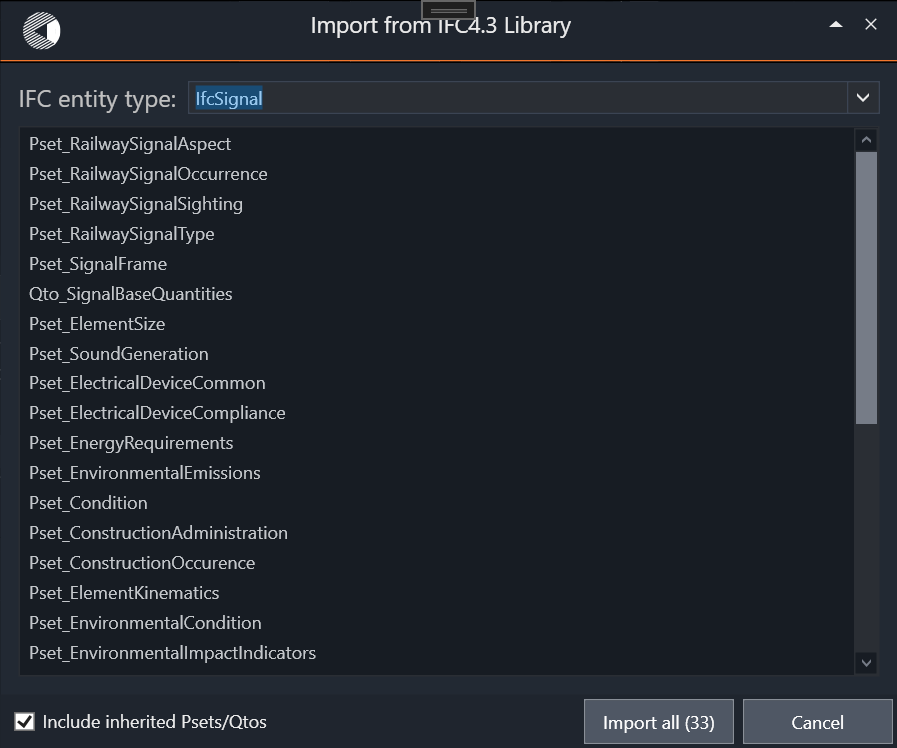
IFC 4.3 comes with standard property sets and quantity sets that should be attached to objects. These can now be easily added to RC with the “From IFC library…” button in the property set definitions manager which opens a window where you can import the relevant Psets and quantity sets for each IFC entity type (see Figure 5).
Figure 5: Importing standard Psets and Qtos for an IFC entity type with “From IFC library…”.
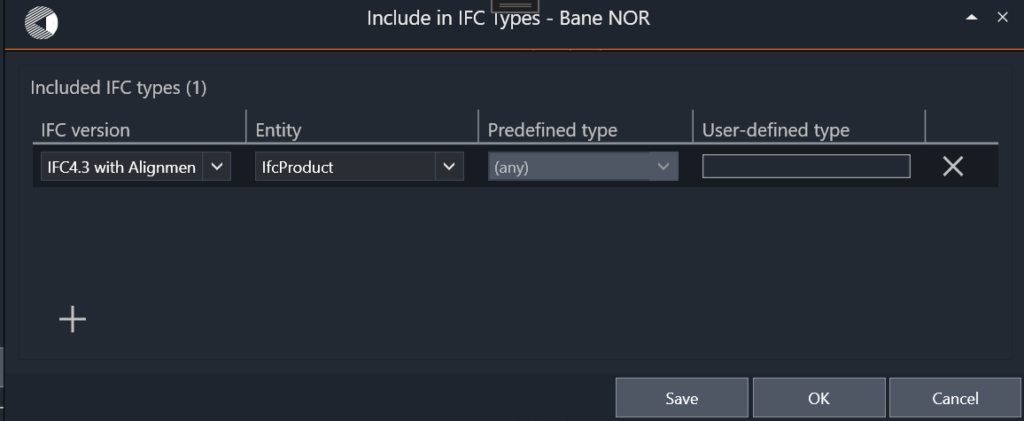
Which standard Psets and quantity sets that apply depends on an object’s IFC entity, not its RC type, so a Pset can now be attached by IFC entity. This is done with the “Include in IFC types” dialog available from the property set definitions manager (see Figure 6).
Figure 6: The “Include in IFC types” dialog, attaching a Pset by entity, predefined type and object type.
Here you select IFC entity types to which the Pset in question will be added. You can also select the inheritance ancestor entity type of the types in the drawing, for example “IfcSpatialStructureElement” to reach every spatial structure node below the root. This will also let you add Psets to spatial structure nodes that have no RC object type.
Setting IFC Types
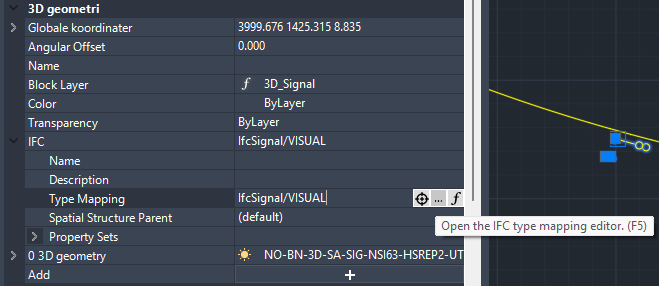
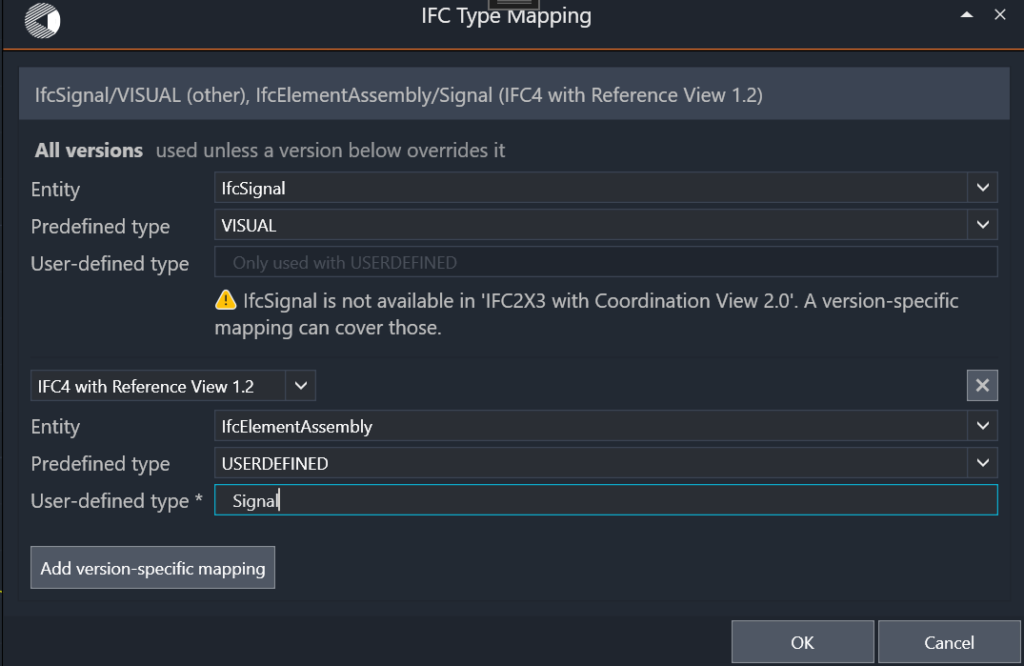
RC 2.0.0 replaces the “Entity Name” and “Predefined Type” text fields with a new field, “Type Mapping”. Like the old fields, it sits in the property manager in the IFC section under the “3D” category (see Figure 7). A type mapping is set through its own editor which provides dropdowns for “Entity” and “Predefined type” (see Figure 8). You can set “Object type” when “Predefined type” is “USERDEFINED” or the entity has no predefined types. You can also set different type mappings for different versions of IFC, if for example the entity used for 4.3 was not available in earlier IFC versions.
Figure 7: The new “Type Mapping” field in the IFC section of the property manager.
Figure 8: The type mapping editor, with a version-specific mapping for IFC2X3.
Export Settings
We have introduced three new settings to the 3D export to manage the structure of the exported IFC files:
“Ignore properties with empty value” leaves out anything not filled in.
“Use object’s RC type as its PredefinedType” is a back-up that is on by default but may now be switched off.
“Skip sub-parts that have no IFC entity name” may be used to simplify complicated sub-object structures when “Block Structure” on the “CAD” tab is set to “Preserve” rather than “Collapse”.
Lua
We provide new Lua API functions for helping with IFC and spatial structure:
getSpatialStructure() and setSpatialStructure() read and write the whole structure; nodes are matched by id, or by name under the same parent, so a matched node keeps its property sets and assigned objects.
getSpatialStructureParent() returns the id of the node an object exports into; getSpatialStructureNodePath() turns that id into a readable path. setSpatialStructureParent() assigns an object by node name, /-separated path or id. The set… functions are available in scripts only.
createIfcTypeMappings{ entity = “IfcSignal”, predefinedType = “VISUAL” } computes a type mapping from a formula, validated against the IFC entity tables.